

Your application users don’t have to have Vantiq logins.
Here’s an example: (Click on it to open in a new browser tab.)
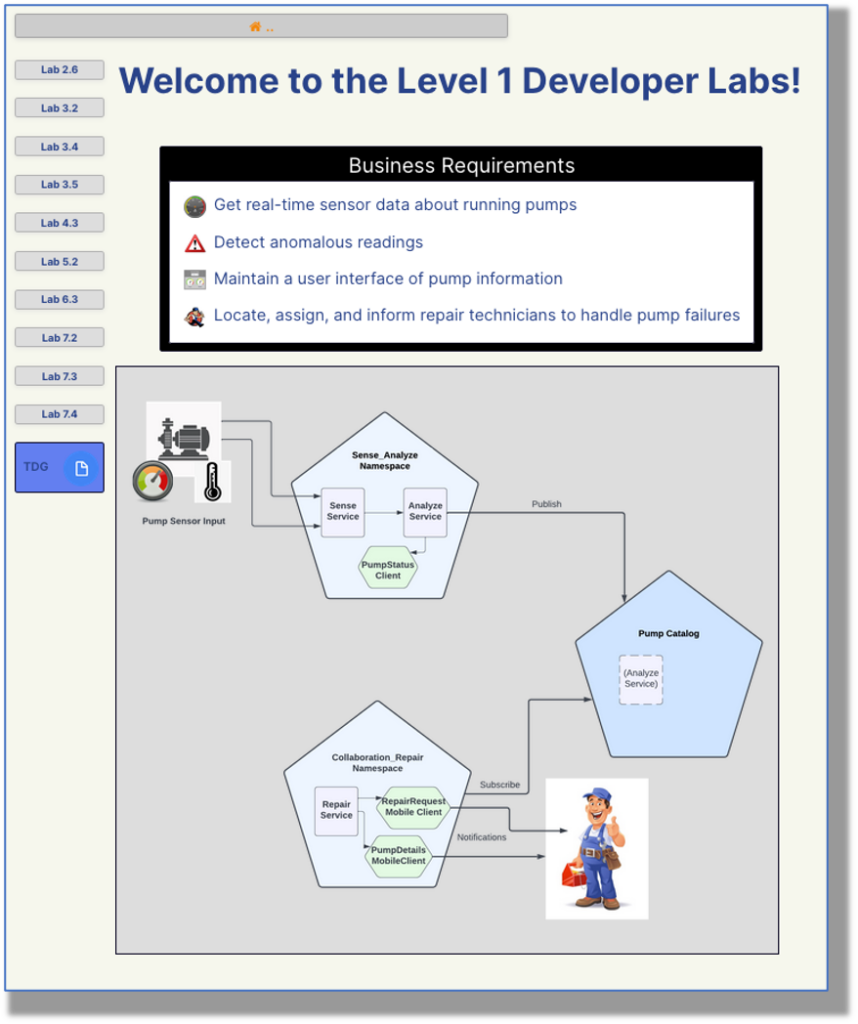
This is a Vantiq Client with instructions and illustrations for doing the hands-on labs in the Vantiq Foundations Class. And it’s a Public Client.
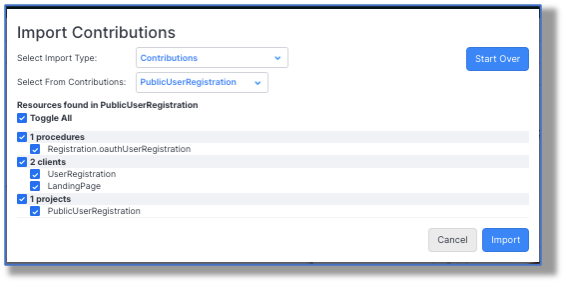
Public Clients allow the world at large to interface with Vantiq applications. The developer can certainly develop a secure login system for the Public Client; in fact, there’s a Contribution available from the Projects -> Import menu that does exactly this:
But, like in the case of the Foundations Labs instructions, anyone on the Internet can otherwise access a Public Client and interact with a Vantiq application without having a Vantiq platform login.
Hmmm…. What about security? Are there restrictions when creating a Public Client?
To answer how Vantiq resources are protected from unauthorized access, and to see the steps to creating a Public Client, let’s look at a very simple application.
Use Case: The Sphinx
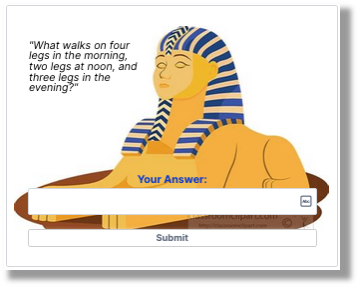
Bold explorers who venture to this Client find themselves facing the all-wise Sphinx. The Sphinx posits a riddle: (Click on the first image to try the application for yourself!)
If the user answers it correctly, all is well:
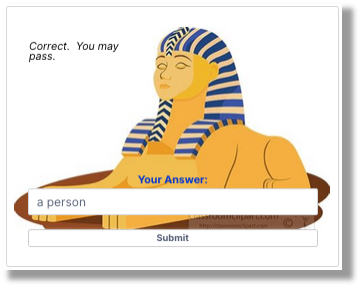
Answer incorrectly; and, well, the user becomes a sad Sphinx Snack:

Behind the scenes, the Client first calls a Service Procedure to randomly select one of the six possible Sphinx questions for display. When the user submits a response, another Service Procedure prompts an LLM to evaluate it against the expected answer. If the two are close enough in meaning, even if the wording isn’t exact, (like “person” vs. “a human,”) the Procedure returns “True.” If the Client sees anything other than “True,” it’s lunchtime for the lion.
To convert a Client to a Public Client, there are basically three steps:
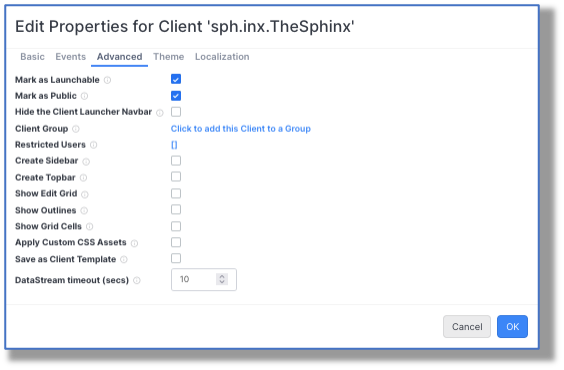
Step 1: Set the Client Properties to “Mark as Public.”
This is accomplished through the Client Properties -> Advanced tab. When you mark the Client as Public, the “Mark as Launchable” also toggles on:
Step 2: Images in Public Clients Also Need to Be Marked “Public.”
This is easiest to do at the time they’re uploaded. Toggle on “Is Public?” and the image will gain a new “public” subdirectory in its name:
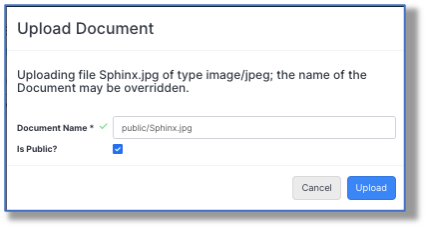
Non-public images will not be visible when the Public Client is launched; that way, only the images the developer intended to publicly display will show.
Step 3: The Public Client Can Only Call Public Procedures
Here’s where the security steps in. Even after completing the two steps to make the Client public, if we were to choose “Copy Public Client Launcher URL to Clipboard” (6th option down):
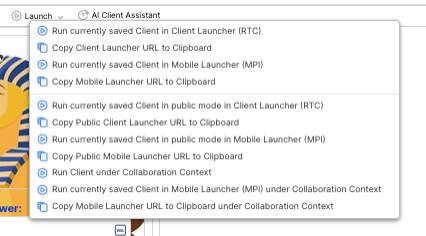
and paste it into a browser window, the result would be, um, underwhelming.
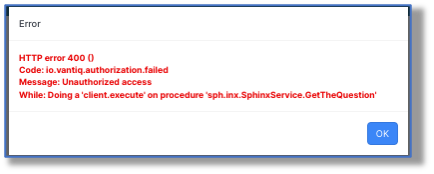
Okay, so how does a Procedure become a Public Procedure?
By being declared as such:
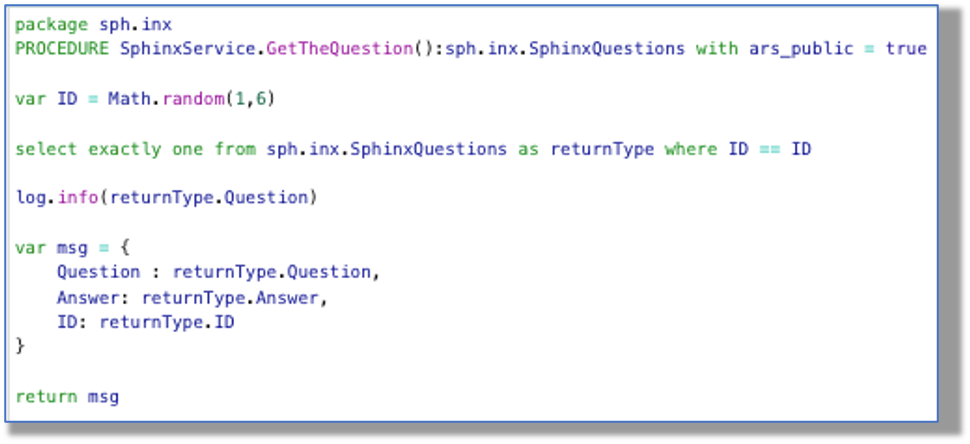
The key declaration is with ars_public = true. The procedure can now access the datatype to retrieve a row with a question in it for the Client to use. Notice that resource access is thereby limited to just what the procedure does. The user is unable to use the datatype or any other resource other than what the procedure allows.
I’ll bet you’re wondering: Why don’t we bind the Sphinx’s question text to a Datastream? Because we can’t. In Public Clients, the only acceptable Datastream is for “On Client Event.”
Likewise, the resources accessed by the evaluating procedure, like the template document and the LLM, are restricted to only their intended use:
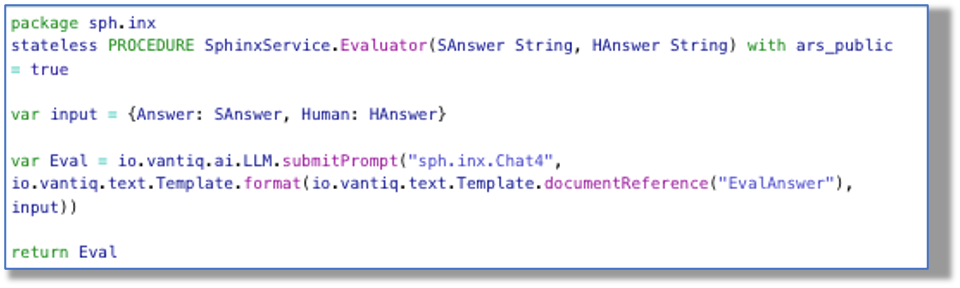
The user is thus unable to prompt the LLM for anything else!
Recap:
- To use Public Clients, Clients have to be designated as Public in their properties.
- Images on that Client also must be toggled on to “Is Public?”
- Public Clients cannot access Services, outside Datastreams, Datatypes, or any other platform resources directly.
- Public Clients can execute Public Procedures, and those procedures in turn can access non-public resources.
All of these practices and restrictions ensure that Vantiq resources are used in only the ways intended by the developer.
Conclusion:
Public Clients allow users without Vantiq credentials to interface with a Vantiq application. The developer needs to designate multiple resources as “public” in order for the application to work properly. Public Clients are kept secure by procedures carefully restricting their resource use.
May you be inspired to write your own Public Clients!